


Add WeblyChat to WordPress
Paste one code snippet using the free WPCode plugin. Works on any WordPress theme, host, or page builder. Live in under 5 minutes.
Difficulty
Easy
Time
About 4 minutes
Requirement
WPCode plugin (free, 2M+ active installs)
Before you start: Copy your embed code from the Add to Site tab in your WeblyChat dashboard. You'll paste it in the steps below.
Install the WPCode Plugin
WPCode is a free utility plugin with over 2 million active installs. It lets you safely add code snippets to your site without editing theme files.
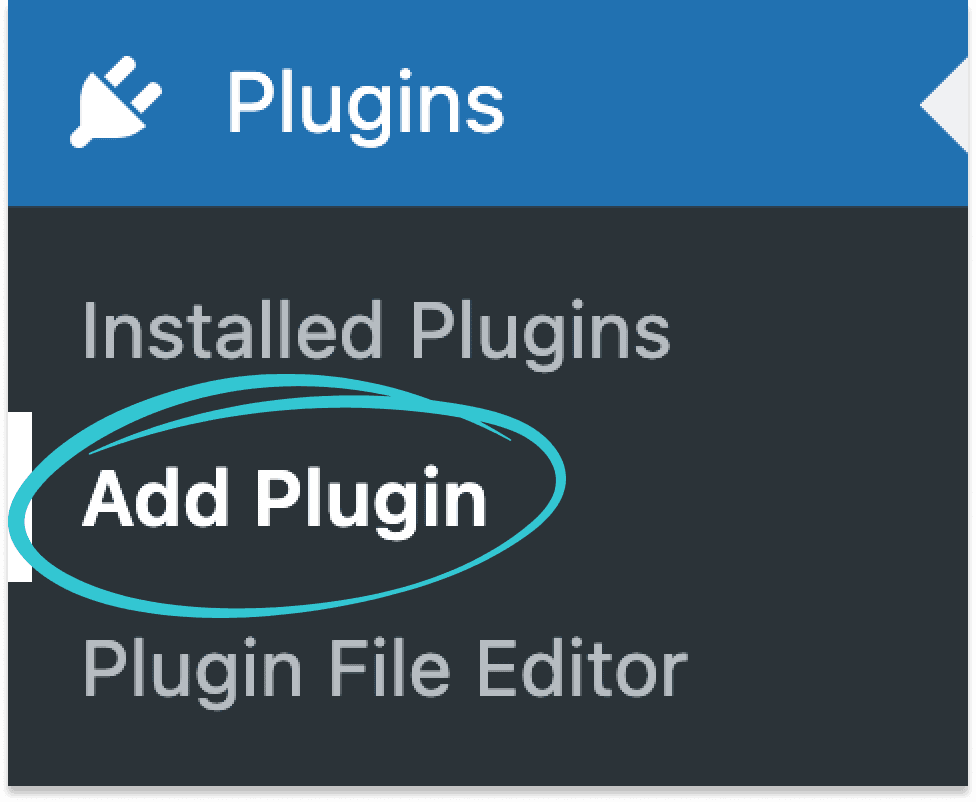
In your WordPress dashboard, click Plugins in the sidebar, then click Add Plugin.
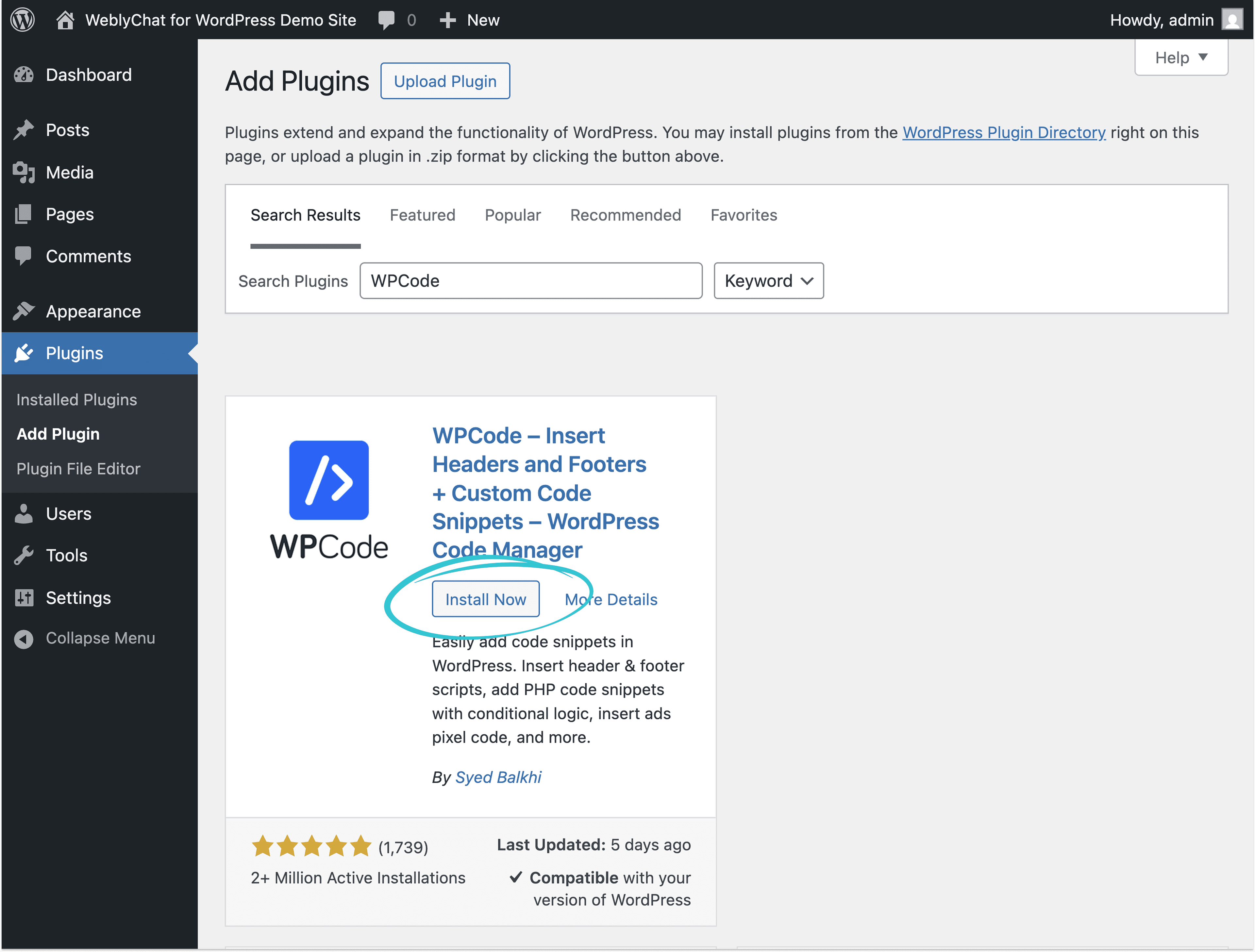
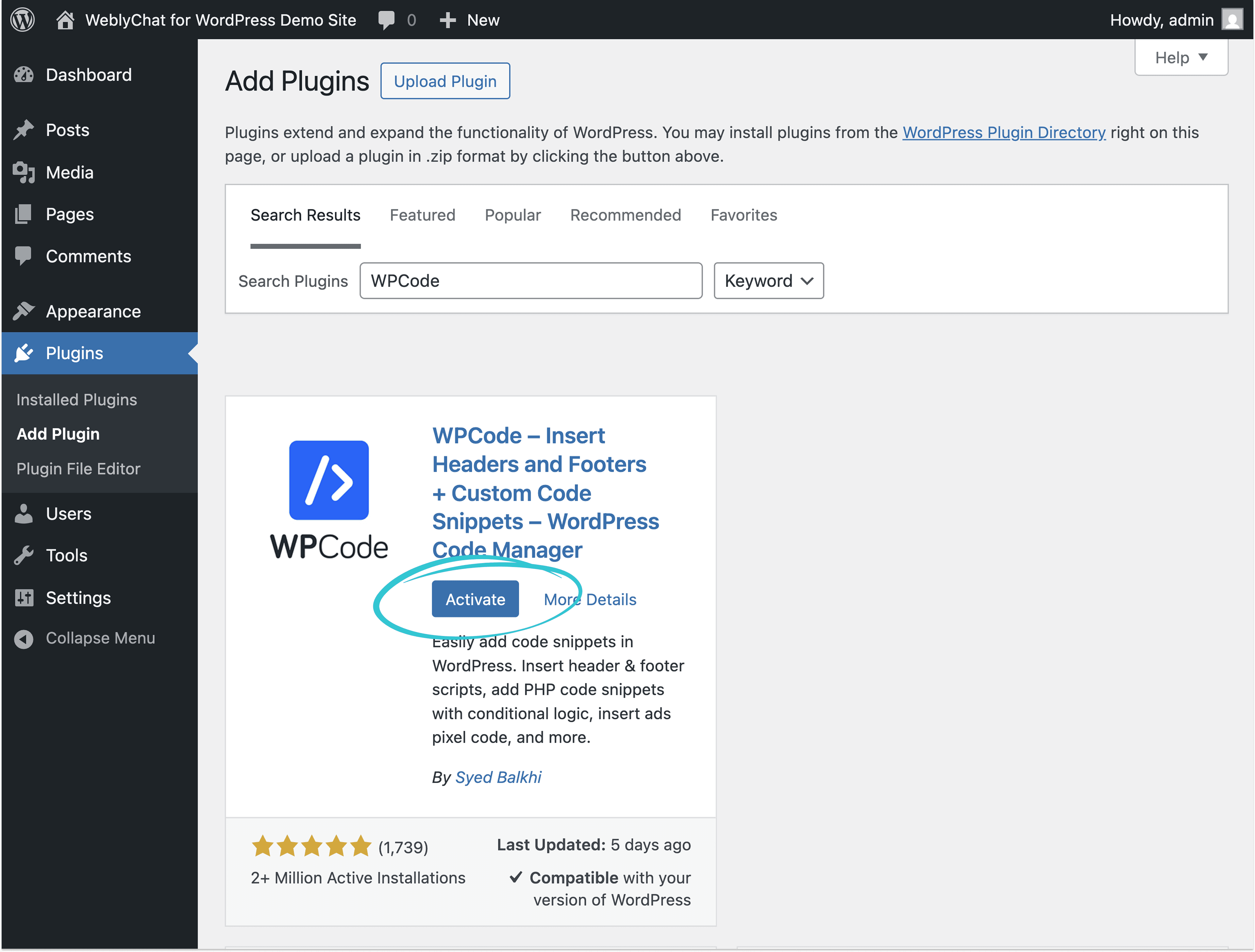
Search for WPCode, then click Install Now, then Activate.
Open Header and Footer Settings
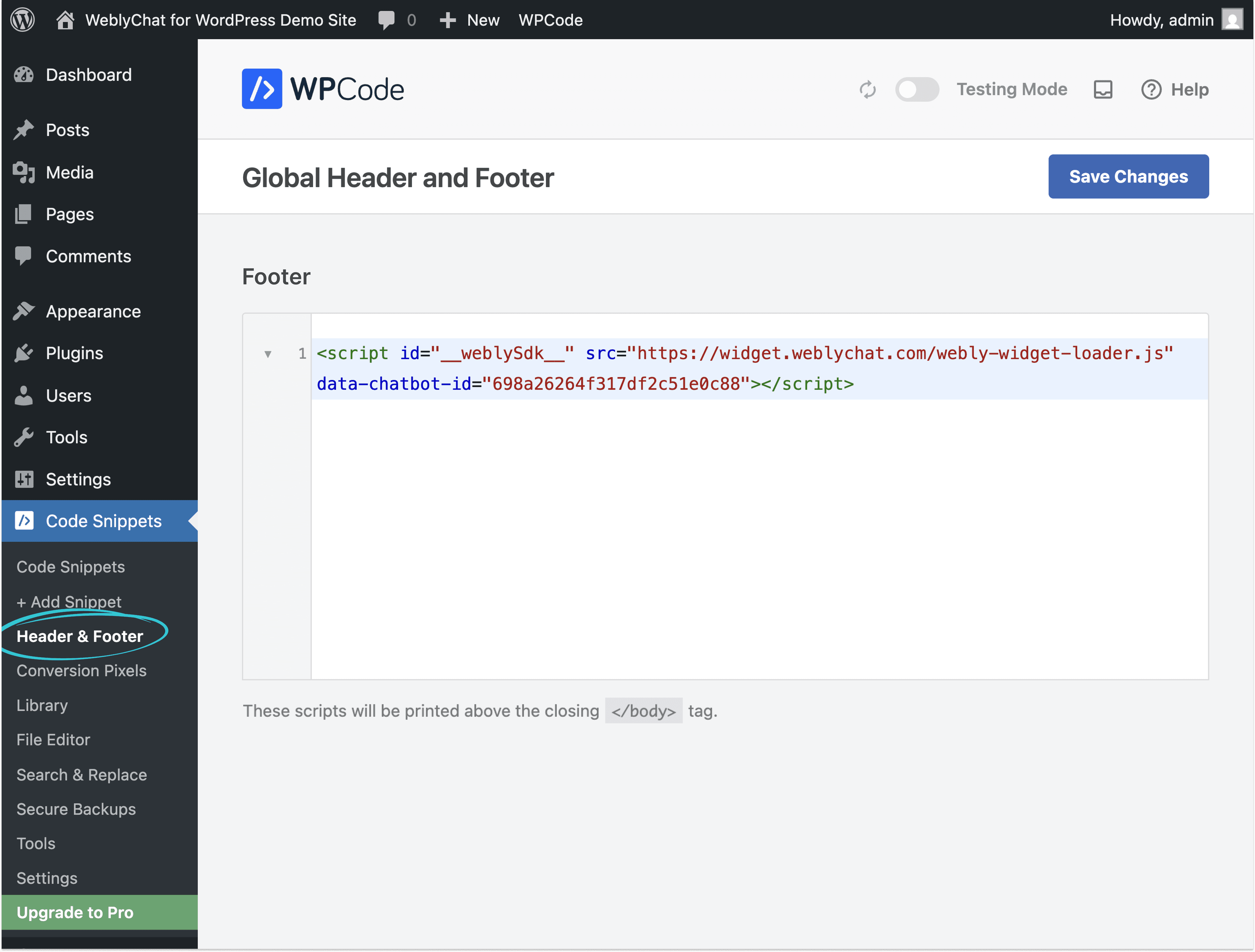
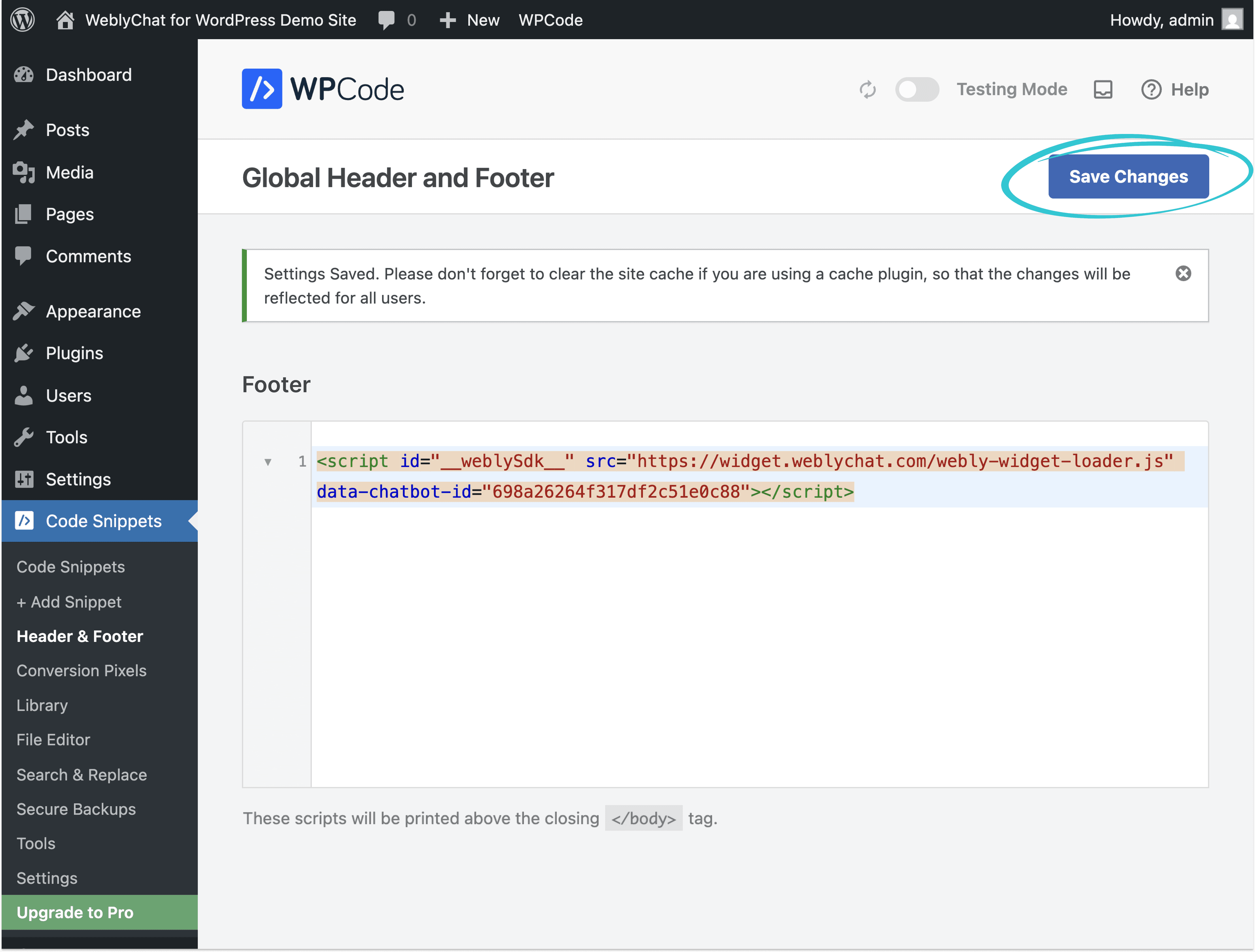
In your WordPress sidebar, click Code Snippets, then click Header & Footer.
Paste Into the Footer Section
Scroll down to the Footer section and paste your WeblyChat embed code there. Then click Save Changes.
You Are Live
Visit your WordPress site and you should see the chatbot widget in the corner. That is it.
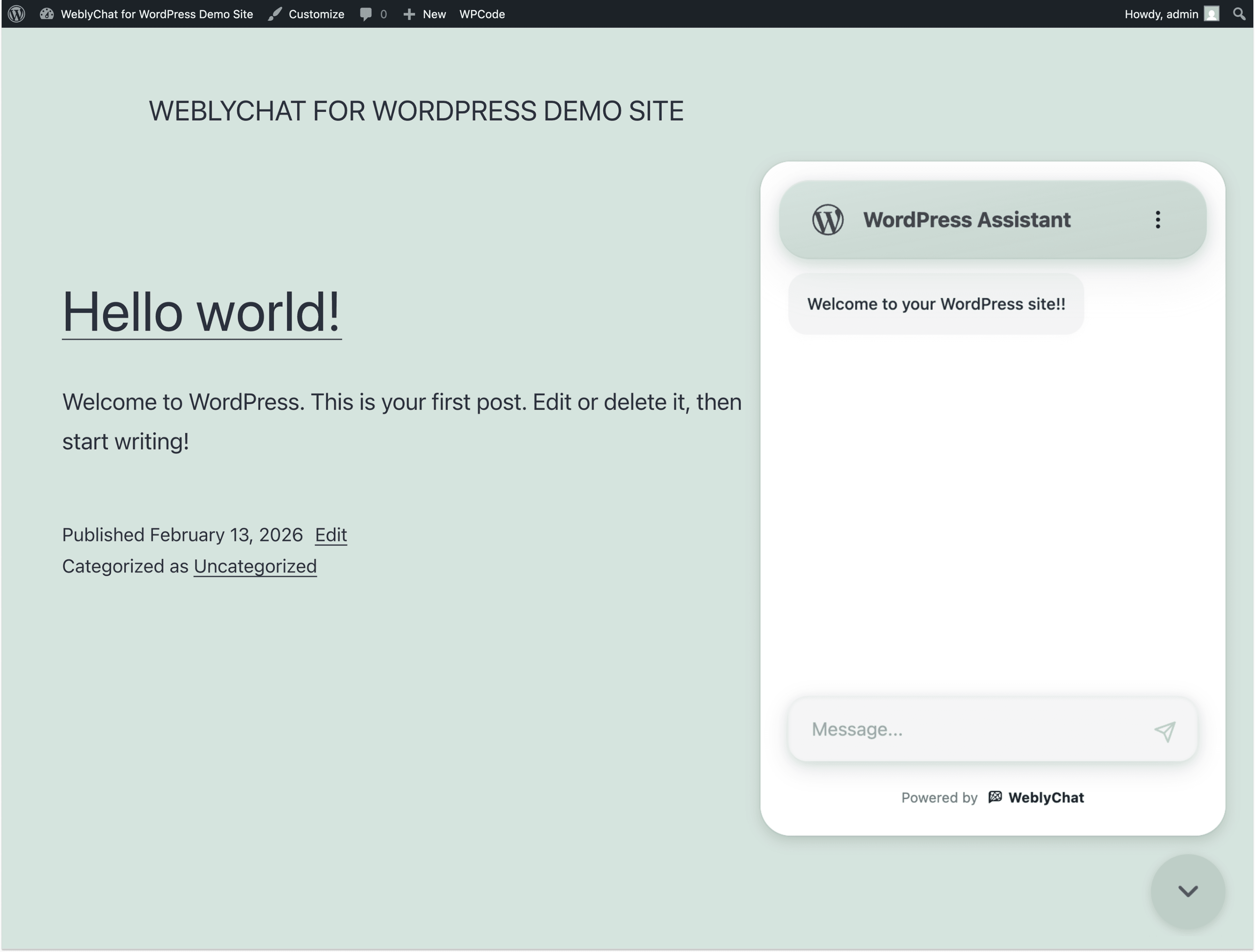
Any changes you make in your WeblyChat dashboard (colors, welcome message, training data) update instantly without touching WordPress again. You only paste the code once.
Prefer not to use a plugin? You can paste the code directly into your theme. In your WordPress dashboard, go to Appearance > Theme File Editor, open footer.php, and paste the snippet just before the closing </body> tag. Keep in mind: theme file edits get overwritten when your theme updates. The WPCode method above is safer for most WordPress site owners.
Still stuck?
We're happy to help you get set up.