


Add WeblyChat to Wix
Paste one code snippet into Wix Custom Code settings under Body - end. Your chatbot goes live in under 5 minutes.
Difficulty
Easy
Time
About 4 minutes
Requirement
Wix Light plan or above (Custom Code access)
Before you start: Copy your embed code from the Add to Site tab in your WeblyChat dashboard. You'll paste it in the steps below.
Open Wix Settings
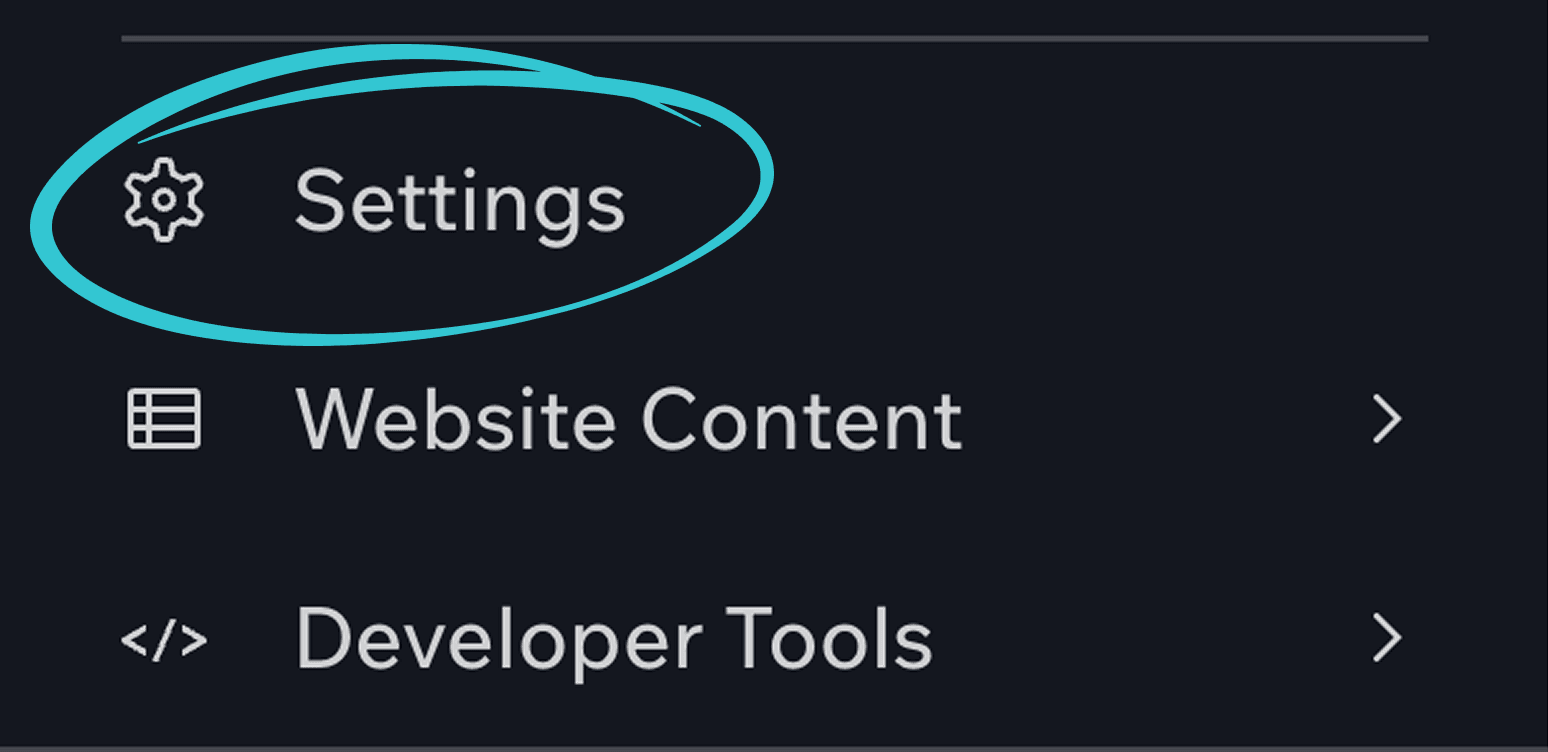
In your Wix dashboard, select the site you want to add the chatbot to. Click Settings in the sidebar menu.
Find Custom Code
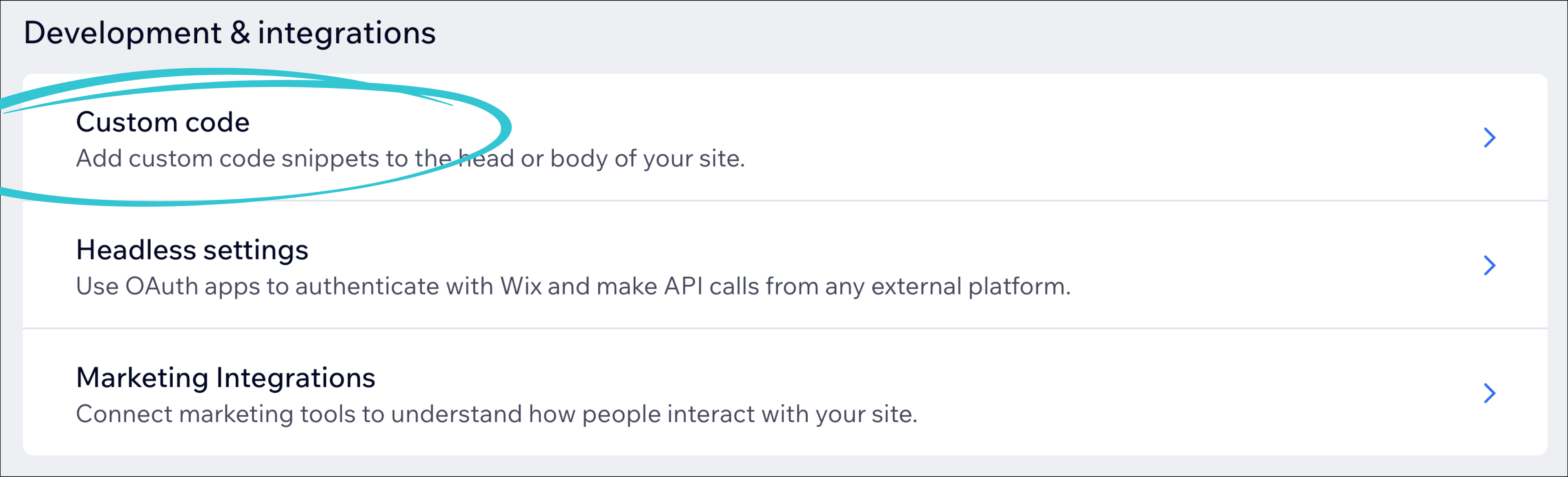
Scroll down to Development and Integrations (or search "Custom Code" in the search bar), then click Custom Code.
Add Your Code
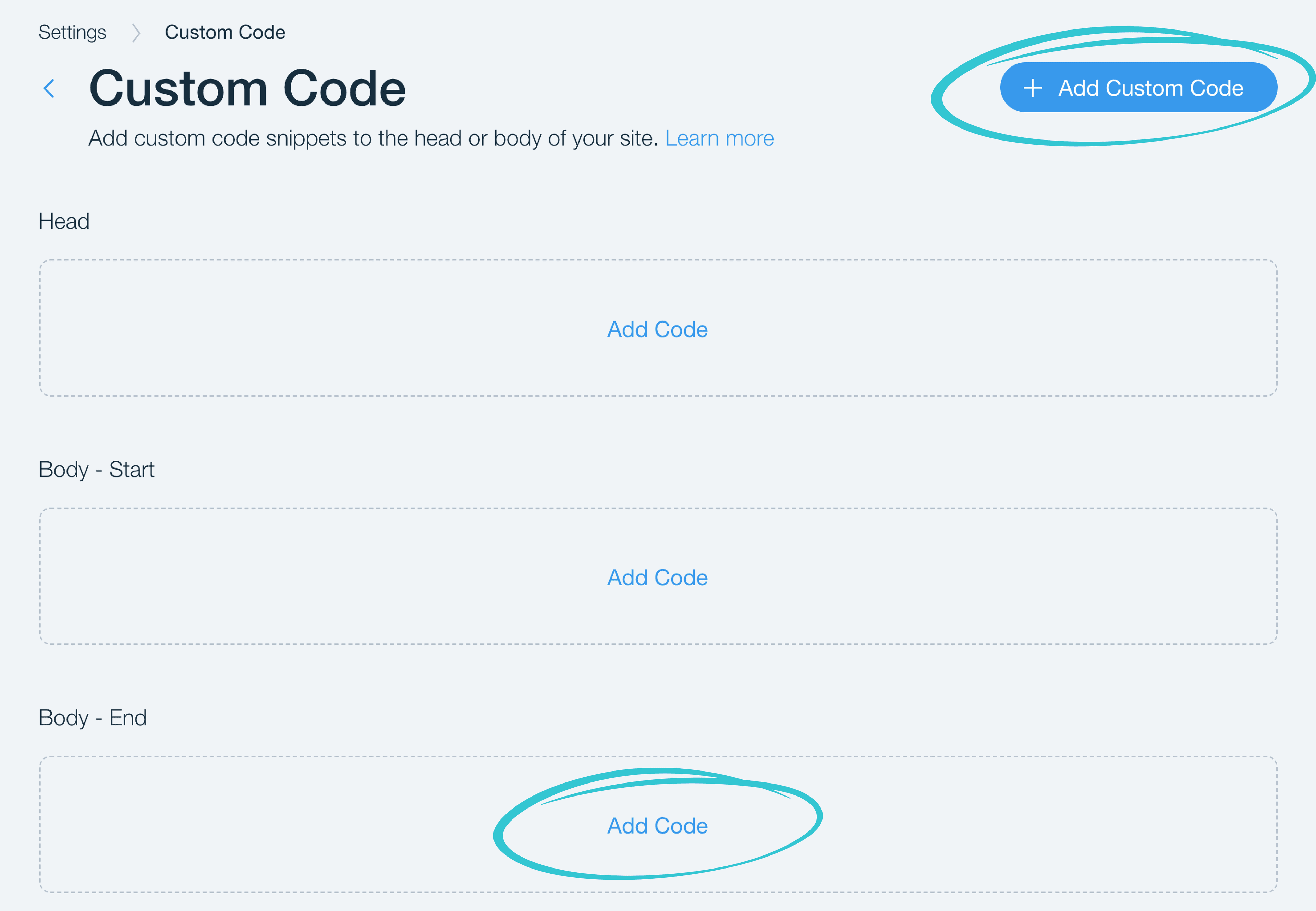
Scroll down to the Body - end section and click Add Code, or click the + Add Custom Code button at the top of the page.
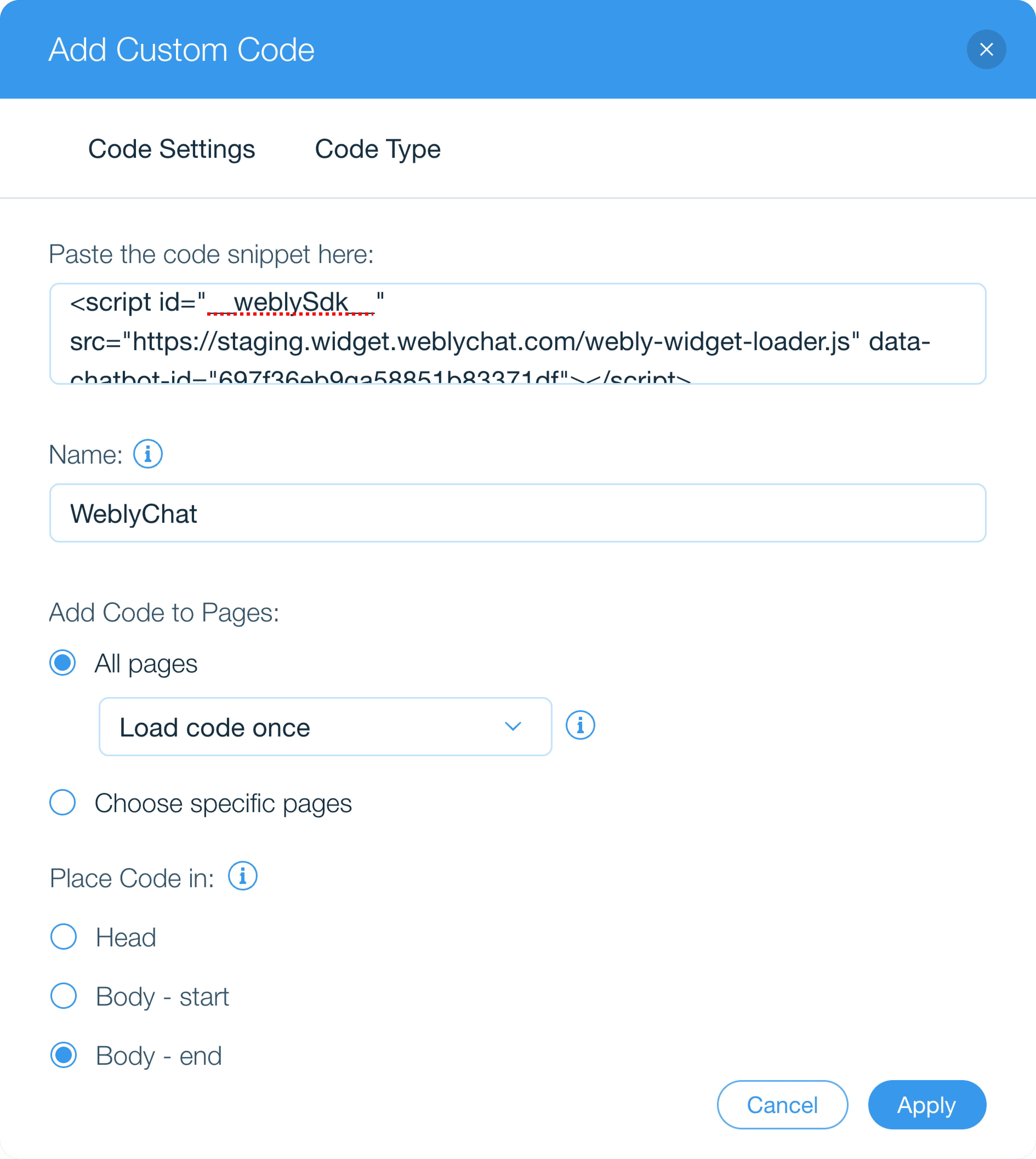
In the dialog that opens:
- Paste your WeblyChat embed code where it says "Paste code snippet here"
- Name it "WeblyChat" so you can find it later
- Under Add Code to Pages, select All pages and set the dropdown to Load code once
- Under Place Code in, select Body - end
- Click Apply
You Are Live
You do not need to republish your Wix site. Once you press Apply, the chatbot will appear on your site within a few minutes. Visit your website and you should see the widget in the corner.

Any changes you make in your WeblyChat dashboard (colors, welcome message, training data) update instantly without touching Wix again. You only paste the code once.
Custom Code is available on Wix Light, Core, Business, Business Elite, and all eCommerce plans. The free Wix plan does not support custom code injection.
Still stuck?
We're happy to help you get set up.