



If you search ai customer service agent, you will see the term used in a few different ways. Sometimes it means a support bot on a website. Sometimes it refers to a broader AI system that handles customer conversations across chat, email, SMS, voice, or help desk workflows.
The core idea is the same: an ai customer service agent is software that can understand customer questions, respond naturally, and handle routine support or pre-sales tasks without needing a human to step in first.
For small businesses, the highest-leverage place to use one is usually your website. That is where new visitors arrive with questions, where buying intent is strongest, and where delayed replies turn into missed opportunities.
This guide explains what the term actually means, how it differs from a basic chatbot, and why a website-based ai customer service agent is often the smartest place to start.
What an AI Customer Service Agent Actually Means
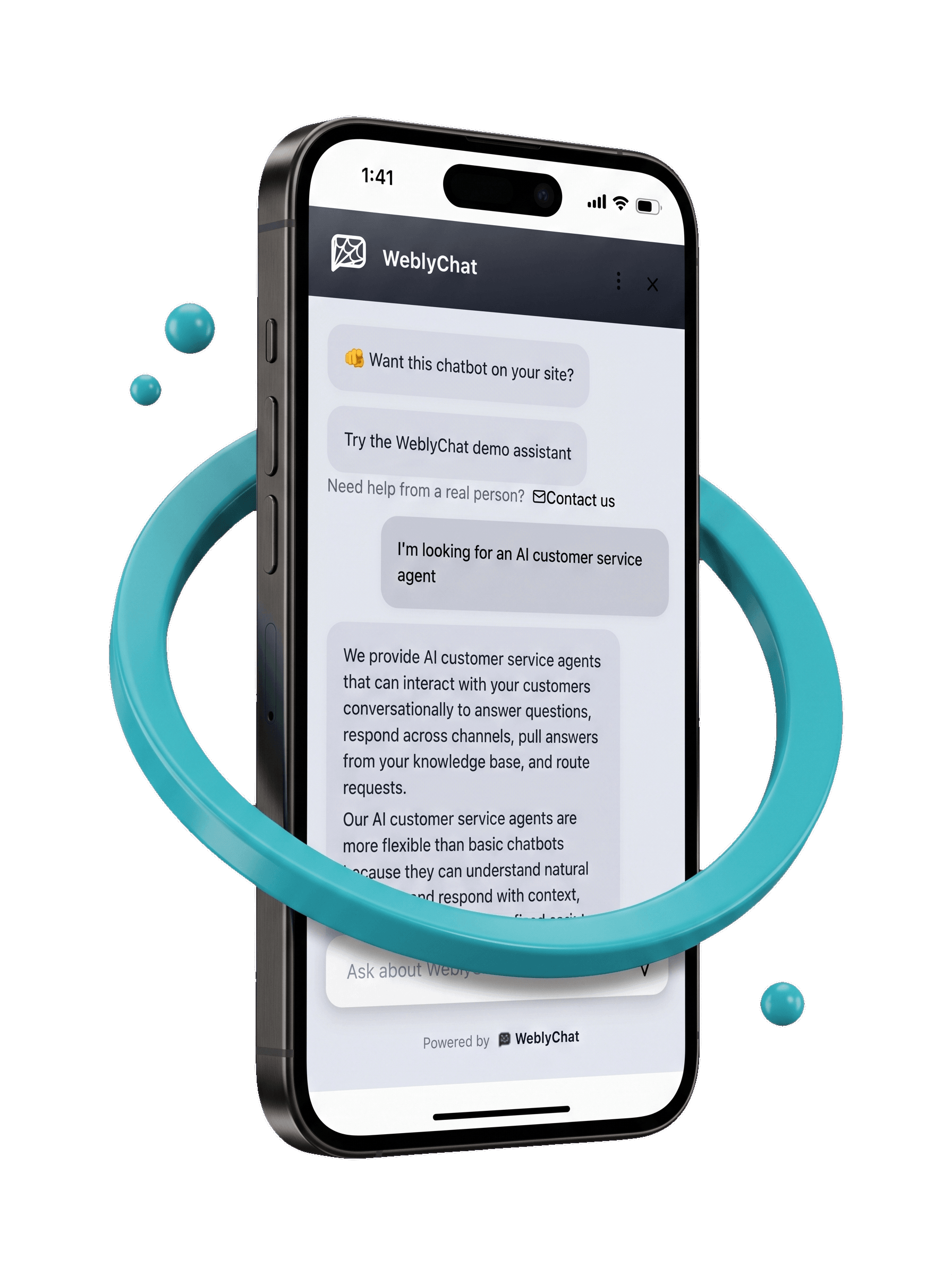
An ai customer service agent is an AI-powered support system that interacts with customers in a conversational way and helps move the interaction forward.
Depending on the tool, that can include:
- Answering questions in live chat
- Responding across channels like email, SMS, or voice
- Pulling answers from a knowledge base
- Routing requests to the right person or workflow
- Completing simple actions like opening a ticket or directing someone to the next step
People use the term to describe several categories at once. They might be comparing website chat agents, help desk AI, voice agents, or multichannel support tools.
But for most small businesses, the practical question is simpler: where should you start first?
In most cases, the answer is your website.
How an AI Customer Service Agent Differs From a Basic Chatbot
A basic chatbot usually follows fixed scripts. It can answer only what it has been explicitly told to answer.
An AI customer service agent is more flexible. It can understand natural language, identify what the visitor is asking, pull from your content or knowledge base, and respond in a way that feels more natural.
The easiest way to think about it is this:
- Basic chatbot: follows rules
- AI customer service agent: interprets intent and responds with context
- Human agent: handles nuance, judgment, and edge cases
For example, if a visitor asks, “Do you offer weekend appointments, and how much does the first consultation cost?” a basic bot may only match one keyword and return a generic page. A stronger AI agent can understand the full question, answer both parts, and link the visitor to the relevant booking or pricing page.
That is why many vendors blur the line between chatbots and AI agents. The interface often looks the same. The real difference is what happens under the hood.
Why the Website Is the Highest-Leverage Place to Start
Even though AI customer service agents can work across multiple channels, the website is often the best first use case for small businesses.
Here is why.
Your website is where buying intent is strongest
People on your website are already interested enough to check your services, pricing, FAQ, or contact options. They are much closer to action than someone casually scrolling a social feed.
Website questions are often repetitive and easy to answer
Most businesses hear the same things over and over:
- What do you charge?
- Do you serve my area?
- How fast can I get started?
- Where do I book?
- Do you offer this specific service?
Those are perfect first-line questions for an AI agent.
It improves responsiveness without adding operational complexity
Email, SMS, and voice automation can be powerful, but they usually require more systems, more routing logic, and more operational oversight.
A website-based agent is simpler. It lives in one place, answers from one source of truth, and can start creating value quickly.
It supports both customer service and conversion
This is the subtle but important point. On a website, service questions and sales questions often blend together. A visitor may ask about hours, pricing, availability, or next steps. Answering that well improves experience, but it also helps capture leads and reduce drop-off.
That does not mean the AI automatically collects personal data. It means it removes friction and helps the visitor keep moving.
If you want to see how website deployment works in practice, start with our guide to adding a chatbot to your website.
What a Website-Based AI Agent for Customer Service Should Do Well
A strong website-based ai agent for customer service should be able to do five things well.
1. Answer common questions using your actual website content
The agent should not rely on vague generic replies. It should answer using the information already published on your site, including your services, pricing, hours, policies, and FAQs.
2. Understand natural language instead of exact keyword matches
Visitors do not always ask questions cleanly. They type quickly, skip details, and phrase things in messy ways. A good AI agent should still understand what they mean.
3. Guide visitors to the next step
Sometimes the best answer is a direct link. A useful customer service agent should be able to point people to your contact page, booking page, pricing page, or a relevant service page.
4. Stay current as your website changes
If the information changes on your site, the agent needs a reliable way to update its knowledge. Otherwise the experience breaks down fast.
5. Be easy enough for a small business to launch and manage
This is where many tools fall apart. The best setup is not the most complex one. It is the one you can actually maintain.
If you are evaluating cost against time saved, that is also where the ROI becomes easier to understand. You can see our pricing if you want a simple reference point.
How Website-Based AI Customer Service Agents Work in Practice
On a website, the strongest setup usually looks like this:
- Add your website URL as the core knowledge source
- Let the AI learn from the pages on your site
- Place the widget on your website with an embed code
- Test the real questions your visitors ask most often
- Update or re-crawl when your content changes
That workflow matters because it keeps the system simple and grounded in the information your business already owns.
With WeblyChat, the website URL is the primary training method. You can also add files or custom Q&As, but the website comes first because it is the clearest source of truth for what visitors already see. From there, the chatbot can answer questions, share hyperlinks, show relevant images from your site, and help you see what visitors are asking.
When a Website-Focused AI Customer Service Agent Makes More Sense Than Omnichannel AI
Broader customer service AI platforms often support chat, email, SMS, voice, routing, ticketing, and workflow automation. That can be valuable, especially for larger teams.
But a lot of small businesses do not need an omnichannel service stack on day one. They need a faster way to respond when someone is already on the site and ready to ask a question.
A website-focused AI customer service agent is often the better starting point when:
- You do not have a dedicated support team
- Most customer questions start on the website
- You want a lightweight setup without enterprise software overhead
- You need faster response times more than complex back-office automation
This is why the website use case is so high leverage. It solves the most visible customer-facing problem first.
If you want more platform-specific examples after this, you can explore our blog.
A Better Way to Think About AI Customer Service Agents
The term ai customer service agent is broad.
At the market level, it can mean many kinds of AI-powered support systems across chat, email, SMS, voice, and workflows. But for most small businesses, the best first use case is simpler: start on the website, where intent is high, questions are repetitive, and fast answers create immediate value.
That gives small business owners a clearer and more actionable starting point.
Ready to put an AI customer service agent on your website? WeblyChat helps you train on your site, launch fast, and stay available around the clock. Try WeblyChat free →